The trend of Javascript front-end web development has been trending ever since Google made Angular.js open-source. A few years after, Facebook also released their Javascript framework React.js. Once developers found Javascript easy and useful, dozens of different frameworks were introduced.
Initially, Angular used to be the prime choice of full-stack developers. But many developers complained about the complicated state-management of Angular and they used to find Angular complicated. While React.js provides a great solution for state-management with Redux. Not only React.js but Vue.js also has an awesome solution for state-management “Vuex”.
If you compare React.js and Vue.js then you may find many similarities like Props, Two-way data binding, v-for, and state management. Along with that, just like the Next.js framework, Vue.js has two frameworks as a solution for server-side rendering. These frameworks are Nuxt.js and Quasar.
First of all, let’s discuss the advantages of Vue.js and React.js
Advantages of Vue.js:

– Vue.js is really simple and easy to learn. Being a developer you need to write the least amount lines of code to develop components.
Consider the following code:
<template lang="html">
  <div>
        <button type="button" @click="changephase();" name="button">Show message</button>
        <button type="button" @click="changephase1();" name="button">Hide message</button>
  <div class="" v-if="vif">
    {{ message }}
  </div>
</div>
</template>

<script>
export default {
  data(){
    return {
      message: 'Hi',
      vif: false
    }
  },
  methods: {
    changephase(){
      this.vif = true;
    },
    changephase1(){
      this.vif = false;
    }
  }
}
</script>
The above code explains how simple Vue.js is. In the above example, you can witness how easy is it is to show and hide elements with just one line of code with the help of the v-if directive. Along with that, two-way data-binding with the help of the v-model is also really simple. If you have used vanilla.js or jquery to hide or show elements, then you would probably know how it is easy to perform such operations in Vue.js.
– Vue.js has a really good solution for state management called vuex. With the help of Vuex, you can reduce the number of lines in the code. You only need to code just once for all the mathematical operations or any other logic on the app.
– While using jquery or Angular, many developers complained about handling the array. Vue.js makes it easy to handle the array and show all the incoming information on the database with the help of the v-for directive. Consider this example to understand v-for directive easily
<tamplate>
<div class="container w3-white w3-card" v-for="article in articles"

:key="article._id"><br>
{{ article.title }}
{{ article.body }}
{{ article.description }}
</div>
</template>
<script>
data(){
return {
articles: [{
title: “ADC”,
body: “body”,
description: “Description”
}.
{
title: “ADC1”,
body: “body1”,
description: “Description1”}]
}
}
</script>
V-for makes it easy to handle the array and shows all the details from Array with just one line of code. Earlier it used to be very difficult to deal with array and show it according to the design.
– Vue.js is the most detailed documentation about the framework. All concepts about Vue CLI, Vue3 have been discussed in detail on the official website.
– As discussed above, Vue.js uses a State-management framework called Vuex. It reduces the total number of lines and simplifies a web app
– To make a website technically SEO-friendly, Vue.js has its own frameworks for Server-side rendering called Qasar and Nuxt.js
Advantages of React.js:
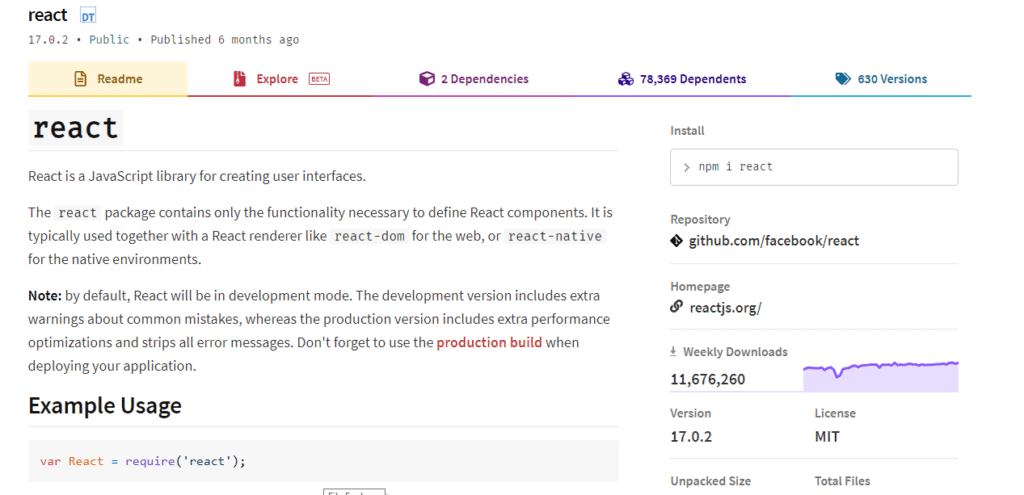
– React.js is powered by Facebook which is a brand and there is absolutely no possibility of it going dead shortly
– Facebook has an active community that makes this framework more advance and reliable
– React.js has an awesome concept called “props”. Vue.js has also copied the same concept. With the help of props concepts, you can avoid issues with the event bus. With the prop concept, you can use the properties of one component into another component by just importing the components.
– There are plenty of jobs in react. Once you learn react.js, you can also opt for React native where you can implement the concepts of React.js
– React.js has the biggest community amongst all the other major javascript frameworks
Similarities between React.js and Vue.js:

– As a matter of fact, Vue.js is a framework that has implemented many good concepts of React.js and Angular. Both React.js and Vue.js use the virtual DOM and they can smoothly work with any existing app
– Both of these frameworks have many directives in common such as Props, both can be installed with the help of NPM.
– These both frameworks have their frameworks for server-side rendering. Vue.js has Quasar and Nuxt.js while React.js has Next.js
– State management is also handled similarly by both frameworks. Vue uses Vuex and react uses Redux.
– Until Vue 2, Vue had limited access for Typescript and after the recent release of Vue 3, you can use the Typescript along with Vue.js.
– Both React.js and Vue.js work on the stack trace technique which can also be used to debug the application errors. This stack trace process uses the binary numbers heavily. A binary number makes the program execution really fast and simple. And for that reason, React.js and Vue.js are faster than Angular. To learn more about binary numbers visit here.